
This section of Boost Express provides organizers with full visibility into their revenue, commissions, and withdrawals. The Billing menu includes several tabs that help track financial flows and manage payouts.
Revenue reports
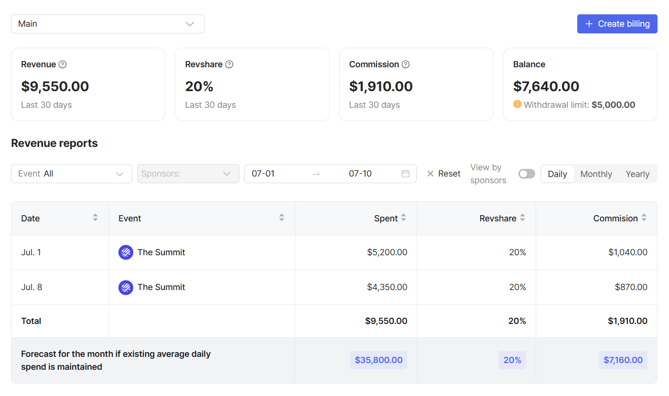
The Revenue reports tab gives organizers an overview of earnings, commission, and balance. It shows how much sponsors spent, the applied revenue share, and the commission earned, along with a forecast based on current trends.
Summary cards
To give you a quick snapshot of your financial performance, the page includes several summary cards with key revenue and balance metrics.
-
Revenue – total sponsor spend for the last 30 days.
-
Revshare – revenue share percentage applied.
-
Commission – organizer’s earnings based on sponsor spend.
-
Balance – available funds, along with the current withdrawal limit.
Report controls
- Billing selection – choose the billing account from the dropdown. Each billing keeps its own set of revenue data.
- Filters – narrow results by event, sponsor, and date range.
- View by sponsors – toggle between aggregated view and detailed sponsor-level breakdown.
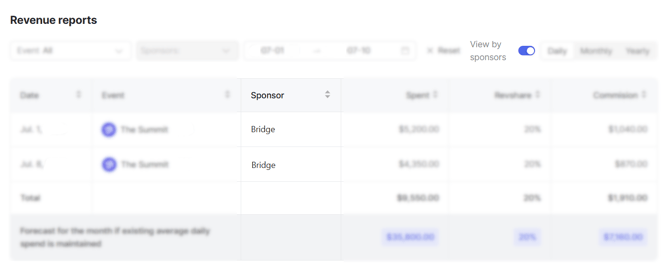
- Time intervals – switch between Daily, Monthly, or Yearly reports.
Forecast
Shows projected earnings for the current month if the existing average daily spend continues.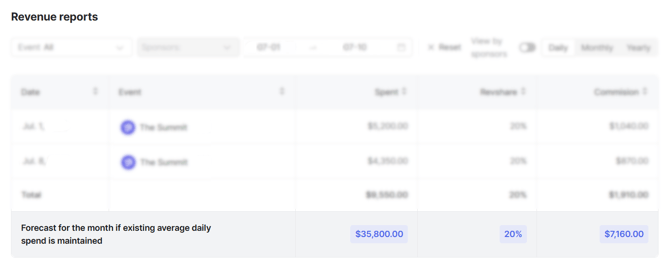
Revenue share commissions
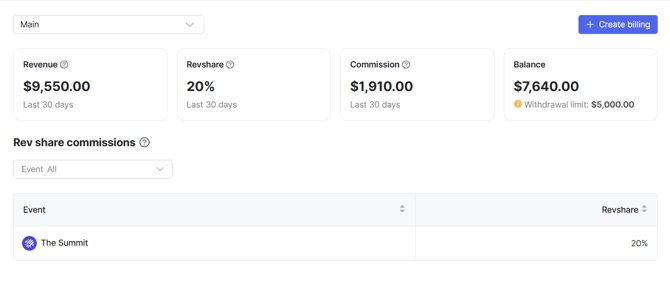
The Revenue share commissions tab displays the fixed revenue share percentage set for each event. You can use the event filter to view a specific event, while the table lists all events together with their revshare percentage. This section is informational and shows how revenue is split per event.
Transactions
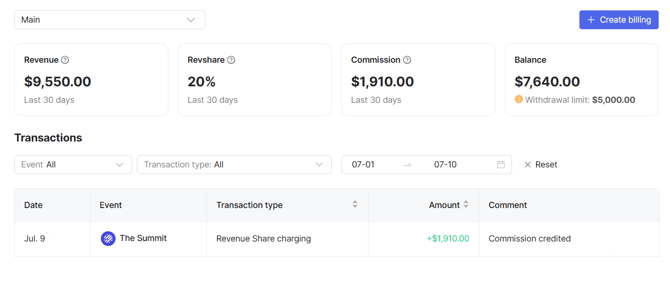
The Transactions tab records all financial operations. You can filter them by event, type, and date. The table lists each transaction with its date, event, type, amount, and an optional comment. Credits appear as positive amounts, while debits are shown with a minus.
Transaction types
- Revenue Share charging – commission added to the balance.
- Withdrawal – funds withdrawn from the balance.
Withdrawal requests
The Withdrawal requests tab lets you create and track payout requests for the selected billing account. Each account has its own list of requests. Payouts are sent to the information specified in Billing details.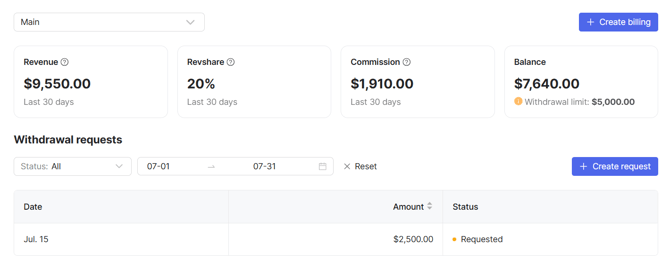
To learn more about this tab, see Payouts and Billing.