
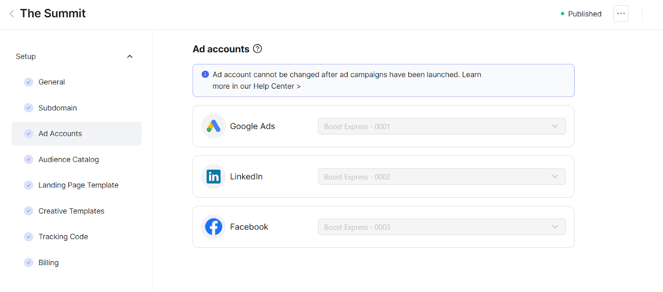
Use the Ad Accounts step to link your advertising platforms to an event. Sponsors do not connect their own ad accounts. When they launch campaigns in Boost Express, they run through the account you select for the event.
This ensures that all campaigns are tied to your event’s audiences and analytics, while keeping control on your side.
Steps to connect an ad account
-
In the event setup, open the Ad Accounts step.
-
Click the icon for the advertising platform you want to connect.
-
Follow the sign-in and authorization process for the selected platform. This step may vary depending on the advertising service. This usually includes:
- Sign in to your advertising platform account.
- Grant Boost Express the necessary permissions to manage campaigns.
-
Select the ad account from the list.
-
Click Add account to confirm.
Usage notes
- You can only connect one account per platform for each event.
- After sponsors start running campaigns, the account cannot be changed.
- Multiple events can share the same billing profile on the advertising platform.