
To work with Boost Express, each sponsor needs a personal account. Registration provides access to the sponsor dashboard, where you can join events and set up advertising campaigns.
Account setup
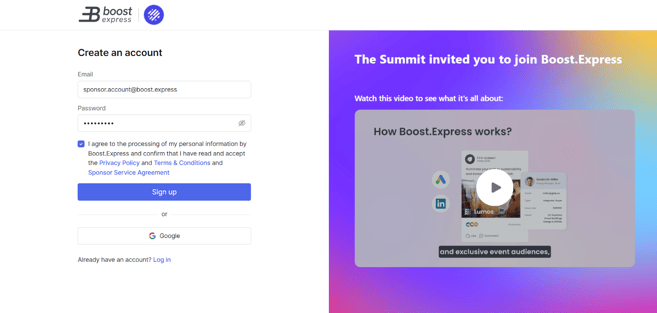
To register, go to the Sign Up page.
-
Enter your email address and create a password.
- You can also sign up with your Google account instead of creating a new password.
-
Review and accept the required agreements.
- You must agree to the Privacy Policy, Terms & Conditions, and Sponsor Service Agreement before proceeding.
-
Click Sign up.

Completing Registration Details
After creating an account, you will be asked to provide some basic information about yourself and your company.

Once submitted, click Continue to complete your registration.
Joining Events
Note: In some cases, organizers may also provide an invitation code that can be used after standard registration.
There are two ways to connect with events in Boost Express:
- Standard Registration – After completing your profile, you can request to join specific events. Your request will be reviewed by the event organizer, and you will be notified once it is approved. For more details, see My Events.
- Invitation Links – If an organizer has invited you directly, you will receive a unique registration link. By signing up through this link, your account will be automatically connected to the organizer’s event.
Next steps
- Start by creating your first campaign to reach the audience of your event.
- Use the Landing Page Editor to design pages that match your campaign goals.
- Explore how to work with audiences to refine who will see your ads.